
Present Project Costs Your Way
The Expanded Division Report lets you show costs by Division or Cost Code, keep your markups in the pricing or show them separately, and preview it all before you send it. Your estimate won't change.
Improved
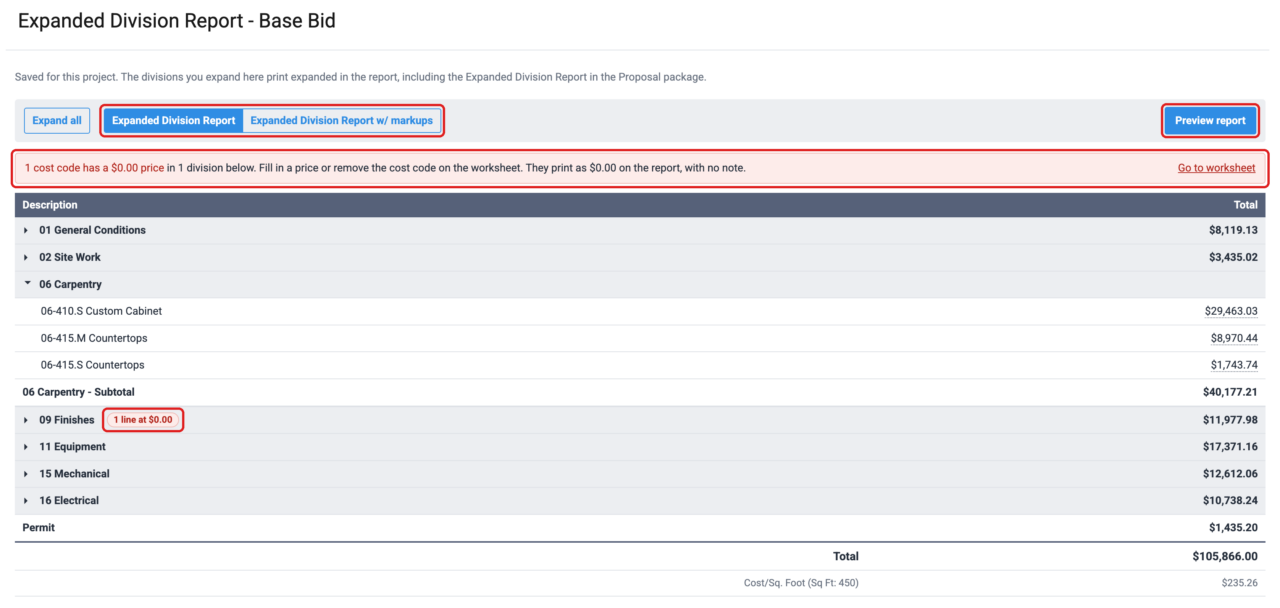
See the Expanded Division Report on screen
Bidding → Expanded Division Report now shows each division with its total.
Expand a division to see its cost codes, amounts and subtotal, just as they print. Pick the version at the top and click "Preview report." Your choices are saved for the project and used in the Proposal package.
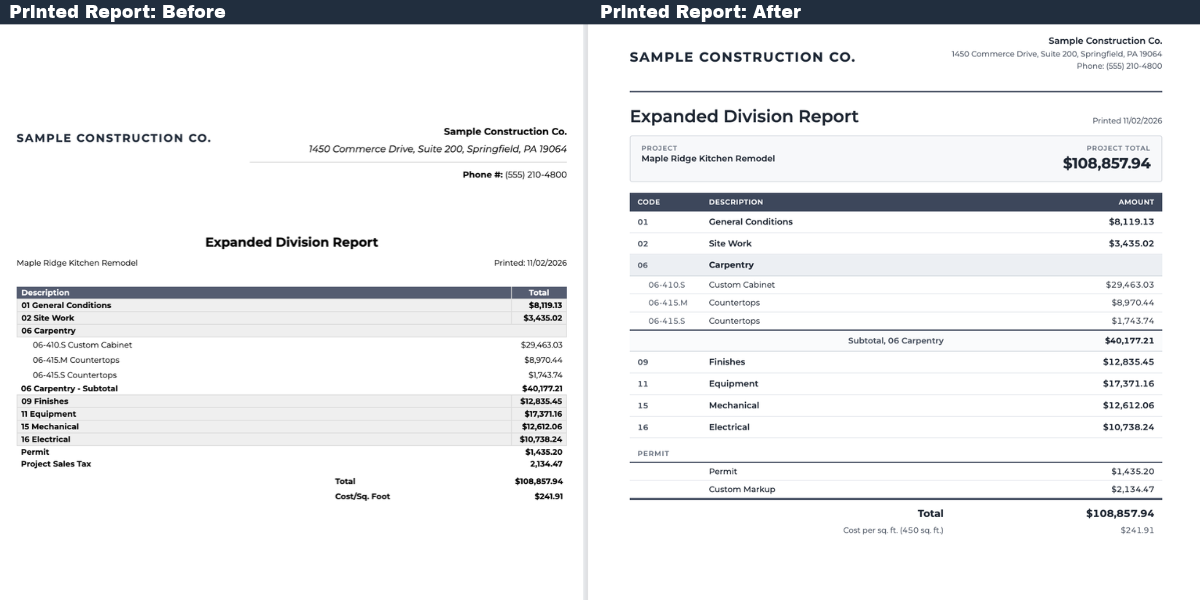
A cleaner printed report
The project total sits up front, amounts line up in a clear table, and every page has a page number.
Only the layout has changed; your amounts and totals are the same.
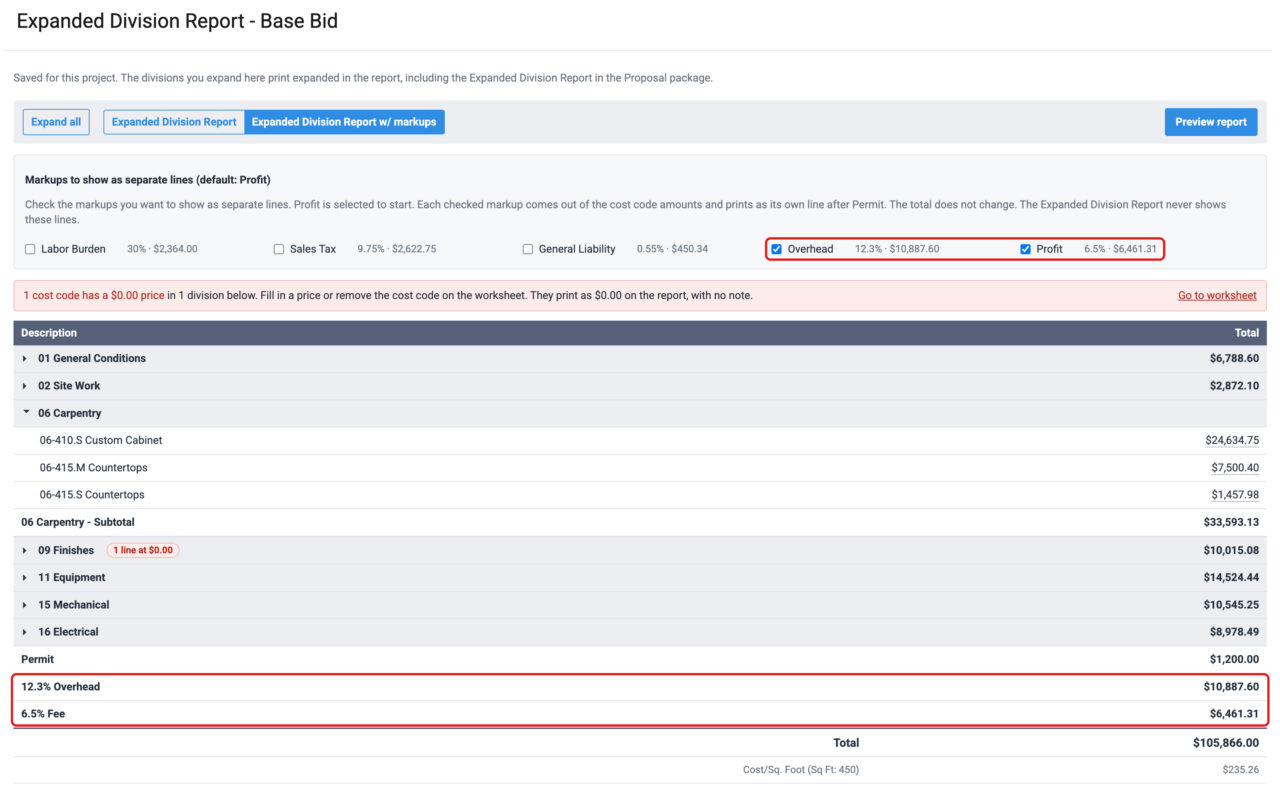
Choose which markups show as their own lines
The Expanded Division Report w/Markups (formerly Expanded Division Report w/Profit) lets you show Labor Burden, Sales Tax, General Liability, Overhead, or Profit as separate lines — each with its percent.
Profit is the default selection, and the total stays the same to the cent.
Custom Markup
The last line in Set Markups is now called Custom Markup by default, and you can still name it whatever you like.
When you use Custom Markup, it shows as its own line on both versions of the report. When you don't, it stays off the report.

Changed Behavior
Fixed
- Cost per square foot is left off the Expanded Division Report when the project has no square footage, instead of printing $0.00.
FAQs
Where did the "w/Profit" report go?
It is now called Expanded Division Report w/Markups. Profit is still checked by default, so it prints the same unless you check other markups.
How do I open the report now?
Can I show Overhead or Sales Tax as its own line?
Where did GC General Costs go?
Are my choices saved?
Why can't I uncheck the Custom Markup?
What does hovering over an amount show?
Can I hide $0.00 lines from the owner?
Do my totals change on the printed report?
Why doesn't Cost/Sq. Foot print anymore?
It is left off when the project has no square footage. Add square footage in Set Markups and it prints.
Need help?
Visit the Help Center or contact your Customer Success Manager.