
RedTeam Flex Release Notes: November 11, 2026

Submittal reviews just got more flexible. Reviewers can answer with their own marked-up file, and every version stays on record. Also in this release: faster cost code picking, a cleaner portal log, vendor invoices you can retry to Sage yourself, and plan comparisons in the colors your architects expect.

New

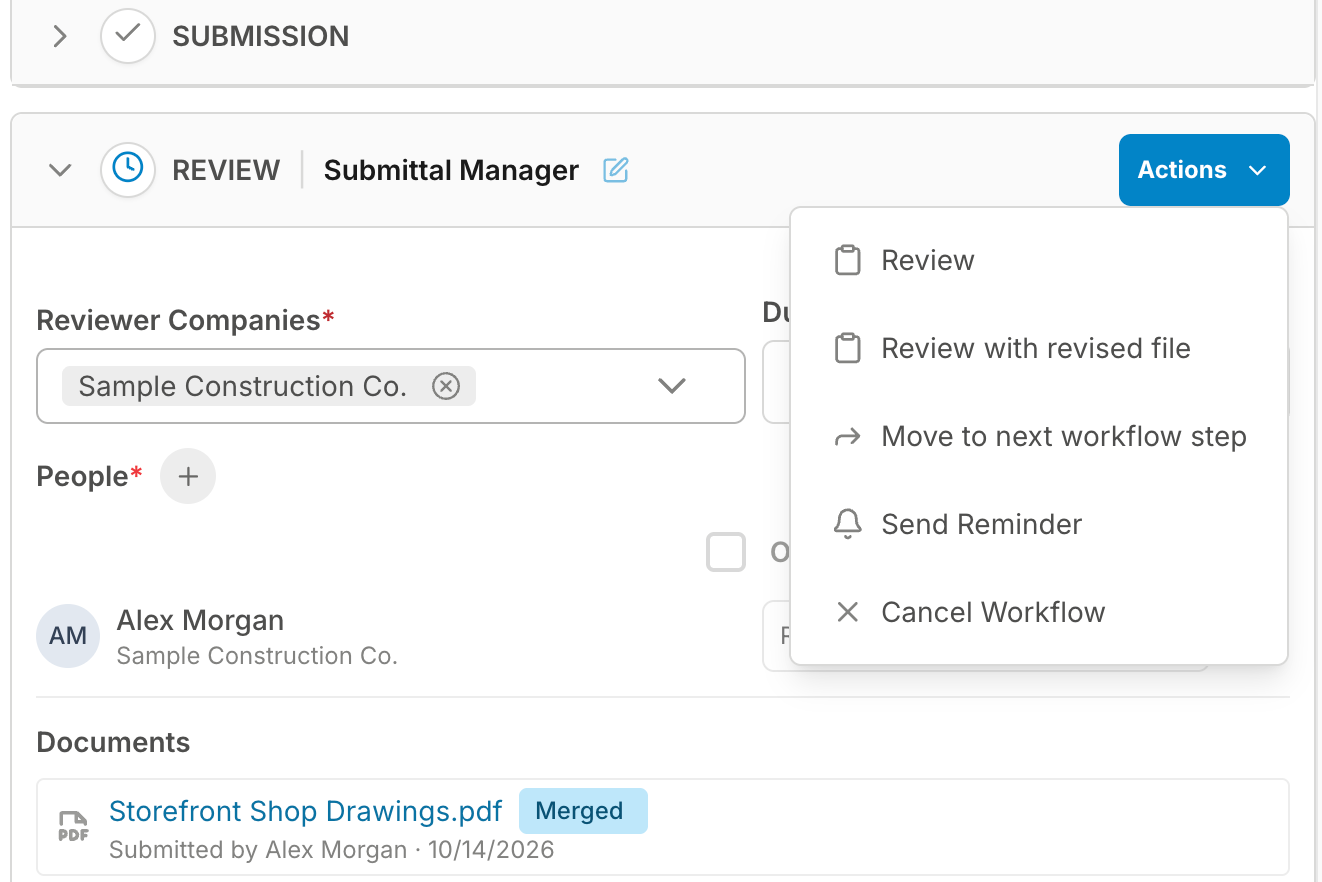
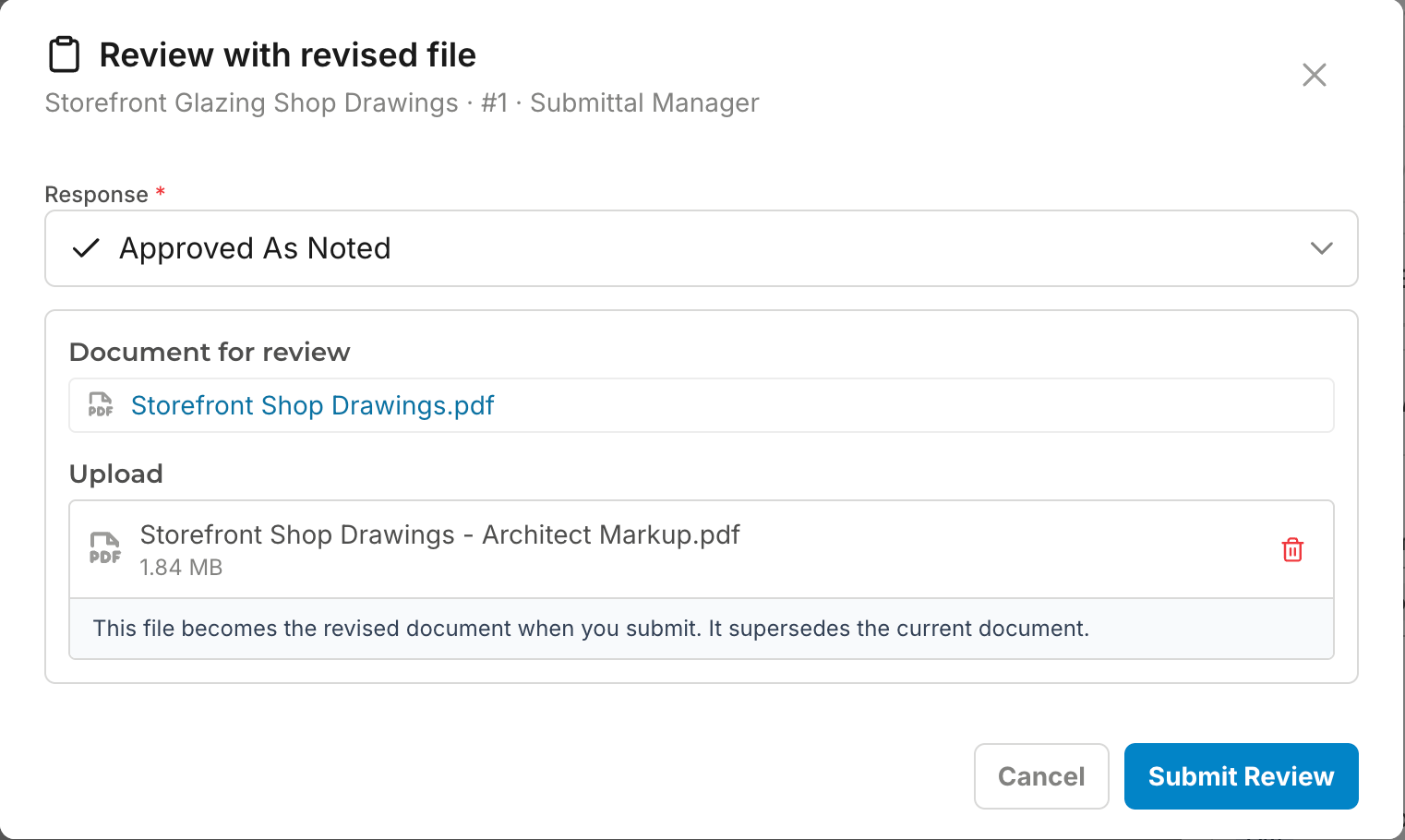
Review with a revised file. Reviewers can now respond to a submittal with their own marked-up file, in RedTeam Flex or from the portal. On the Review step, open Actions and choose Review with revised file, pick your response and add the file. Your file becomes the current document, the file it replaces is kept read-only and marked Superseded, and the workflow moves on just as it does with a stamp.
actions menu - redteam flex
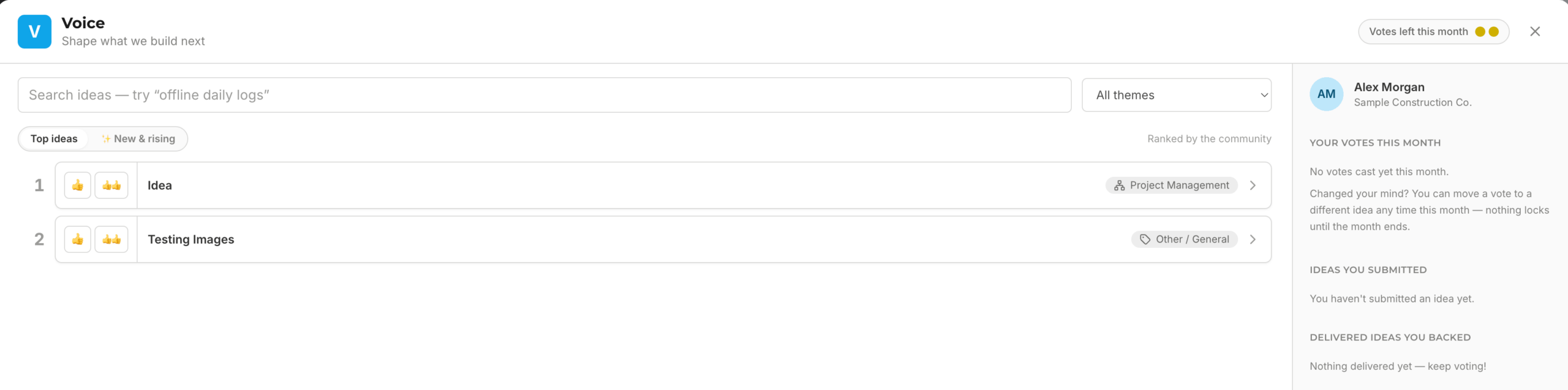
See ideas move on Voice. Each idea on the Voice board now shows how far it moved since the end of last month, and new ideas are marked NEW. Recent votes count for more, so active ideas climb.
voice board - redteam flex

Improved


Cost codes grouped by phase in Submittals.

The Cost Code list in the Submittals grid and the Add submittals drawer is grouped under project phase headers, the selected code shows its phase code, and the Project Phase column shows the phase code and name.
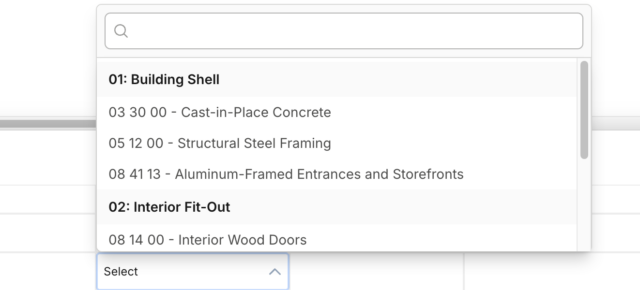
submittal dropdowns - redteam flex


A cleaner submittals log in the portal.

The portal log shows the 13 columns outside parties need, and nothing internal. Your column layout resets once with this update; set it again and it is kept.
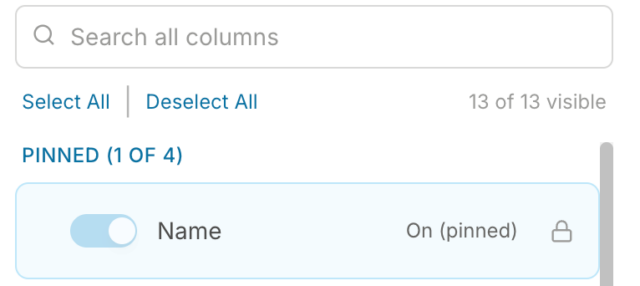
sao log - redteam flex

Retry now covers vendor invoices (Sage 100 and Sage 300 through hh2).
The Retry button that resends failed vendor commitments and changes now works for vendor invoices too: same steps, no ticket needed. After Retry, refresh the Transactions Log to see the result.
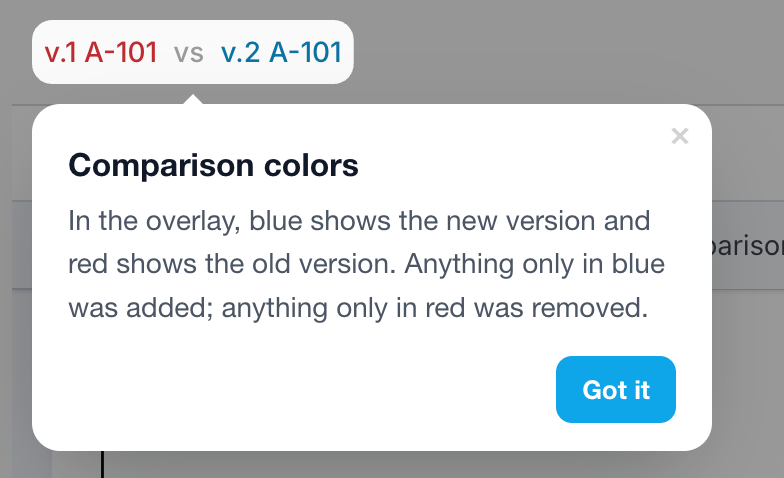
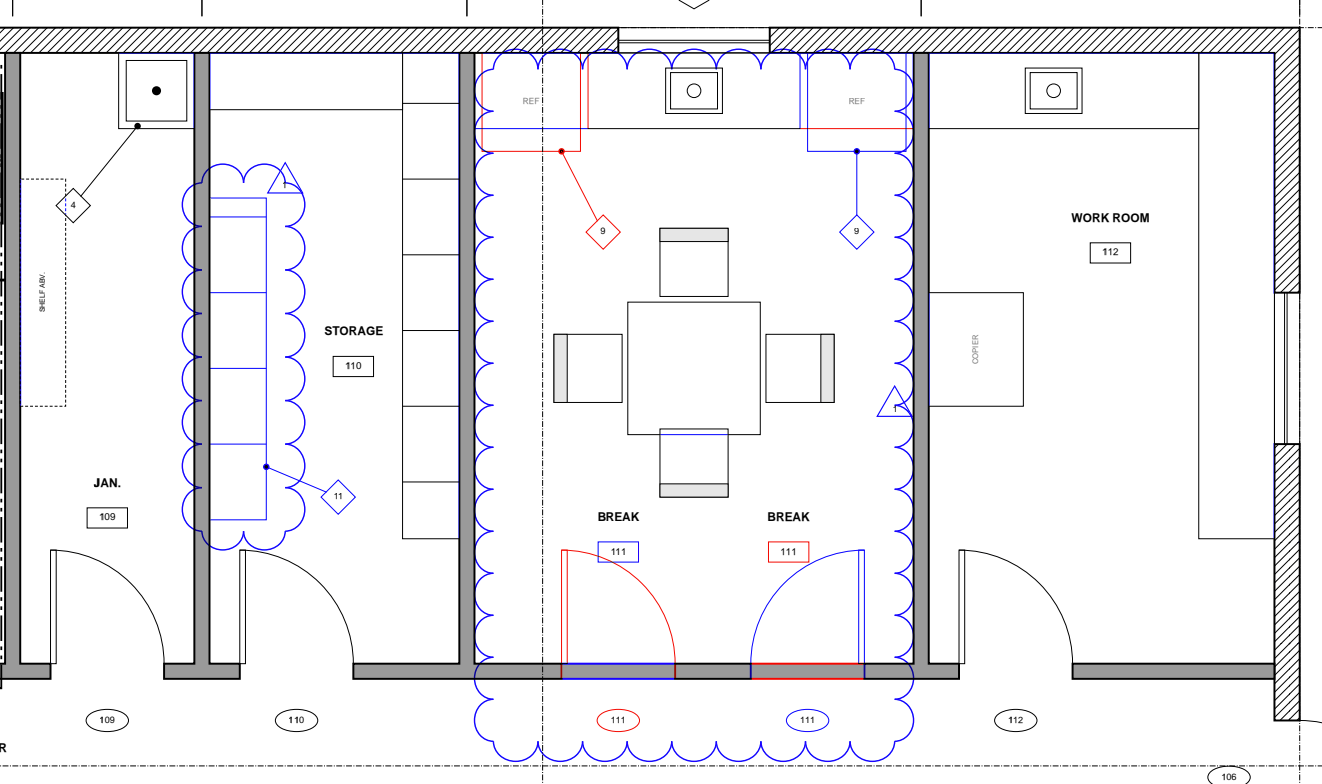
Compare colors follow the convention.
When comparing two versions of a sheet, the newer version is blue and the older version is red, in the overlay and in the labels.

Mobile: a clear Sign In Error screen. If an SSO sign-in fails in the RedTeam Flex app, you land on the app's own Sign In Error screen with Try Again and Need help signing in?. Available in app version 1.5.2.

Fixed

The Submittals Log PDF export shows real values in every column, with readable statuses and no words broken across lines. Uploaded-by names on submittal documents and assigned-by names on role assignments now show the user who made the change.

Get a Demo

Keep every job aligned, connected, and
profitable

Connect your job costs, workflows, documents, and teams in one
platform, so you can spot issues sooner and keep more projects
on track.